- Home
- All templates
- Collage
- My favorites this week
Story · Story
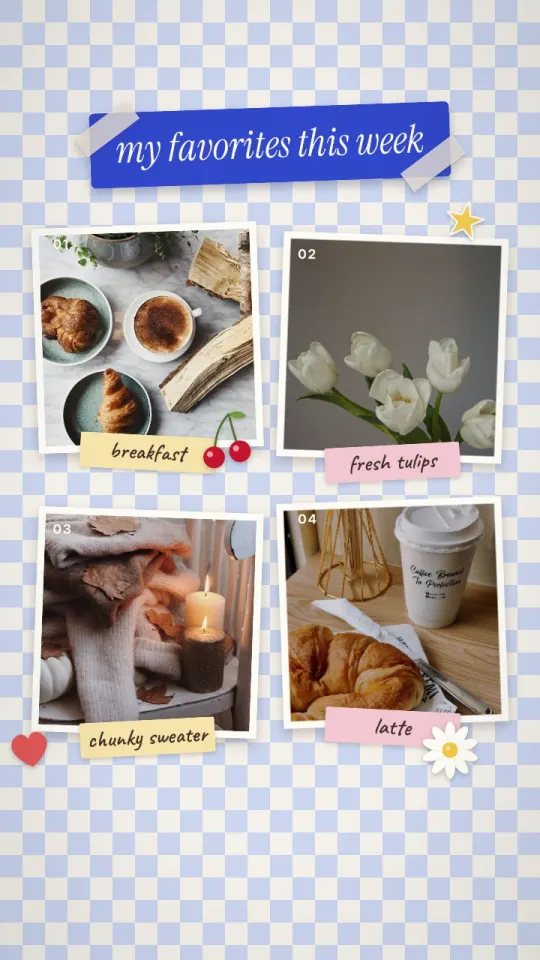
My Favorites This Week Story Template
Four weekly favorites on one screen: a free story laid out as a four-photo grid. Against a soft blue-and-white checkerboard, a royal-blue tape label reads "my favorites this week", with four numbered, softly rounded photo cards below, each carrying a pastel label sticker and a cherry, daisy or star in the corner.
Fill the four cards with breakfast, flowers, a sweater, a latte or whatever won your week. The title and all four labels can be rewritten, and you can change fonts and styles. It is a fast way to share a list in one screen, and it is one of the ten free templates.
This template is free: use and export it without a subscription.
Perfect for
- A weekly favorites roundup
- Sharing products or small joys
- Quick list stories on busy days
What you’ll need
- favorite 1
- favorite 2
- favorite 3
- favorite 4
Tip: Make the four photos equally bright and similarly cropped so the grid feels balanced, and keep each label to two or three words that name the favorite.
Text you can change
- “my favorites this week”
- “breakfast”
- “fresh tulips”
- “chunky sweater”
- “latte”
Every line, font and style can be changed in the editor.
Caption ideas
- this week's favorites, ranked by nothing
- tulips, sweater, latte, repeat
- four small joys
How do you use this template?
- Download ReelClub from the App Store and open this template.
- Tap “Use template” and pick photos and videos from your library. The app shows what each slot is for.
- Change the text, music or framing if you like, then export. It saves to Photos, ready for Instagram or TikTok.
You might also like
Your photos, edited.
Download ReelClub on iPhone. Browse every template for free, use 10 of them without paying, and try Pro free for 3 days.




